Small businesses often know that automation could save time, but the first step is not choosing a tool. It is choosing a useful workflow. Automating a confusing process only makes confusion move faster.
That is the starting point for small business workflow automation: choose one handoff that is easy to explain, useful to the team, and simple to review when something goes wrong.
The best first automation is usually repetitive, easy to describe, and connected to a result the business already cares about. That might be responding to a new enquiry, assigning a task, updating a CRM record, or reminding someone when a lead has gone quiet.
Start with the work people repeat
For one week, write down the tasks that happen again and again. Include the work that feels too small to mention, such as copying a form submission into a spreadsheet, sending the same confirmation email, creating a project folder, or reminding a colleague to follow up.
For each task, note how often it happens, how long it takes, who owns it, and what goes wrong when it is missed. This gives you a better starting point than a long list of fashionable automation ideas.
Five useful first automations
1. Website enquiry to CRM
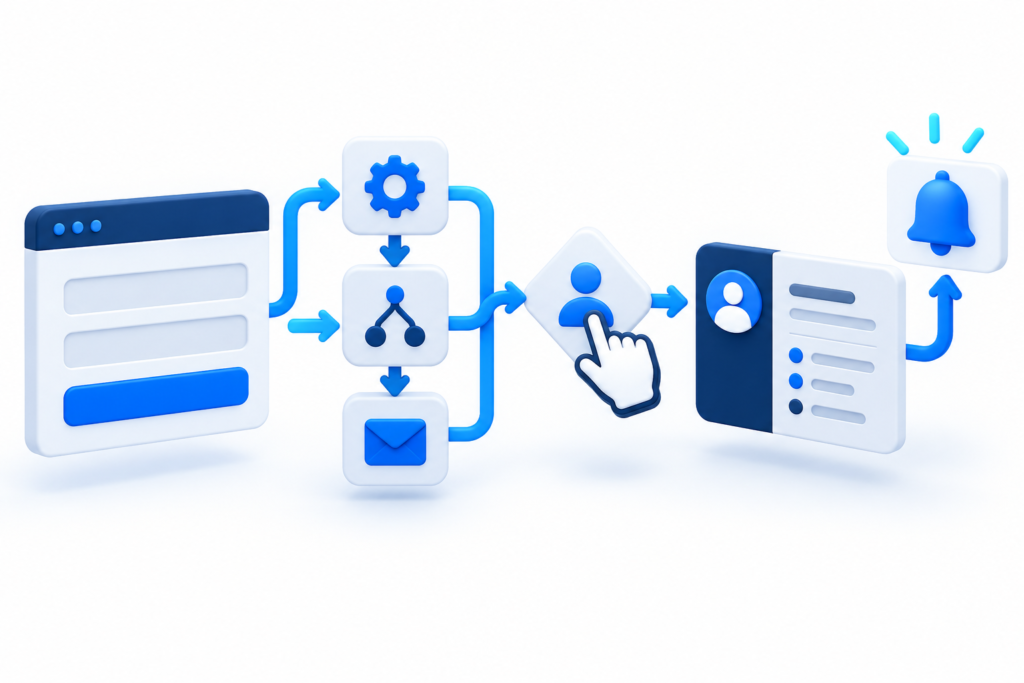
When a visitor submits a form, the details can create a contact or lead record automatically. The workflow can add the service requested, record the source, notify the right person, and send a clear confirmation to the visitor.
Keep a human review step when the message is unclear, urgent, or outside the normal service. The goal is to remove copying and delay, not to pretend every customer needs the same response.
2. Lead assignment and follow-up reminders
A new enquiry should have an owner. A simple rule can assign leads by service, location, or team availability. If nobody updates the record within a defined period, the CRM can create a reminder or notify a manager.
This is valuable because follow-up problems are often caused by an unclear handoff rather than a lack of effort.
3. New client onboarding
Once a proposal is accepted, an automation can create a project record, send the next steps, request the information needed to begin, and notify the delivery team. A consistent onboarding flow makes the business feel organised without making the message feel robotic.
4. Internal task creation
When a deal reaches a certain stage, the next task can be created automatically. This works well for repeatable work such as preparing a quote, scheduling a review, checking content, or requesting approval.
5. Weekly status summary
A short summary can bring together new enquiries, open tasks, overdue follow-ups, and projects waiting for information. It is often more useful than adding another dashboard that nobody opens.
What not to automate first
Avoid starting with work that needs judgement, personal care, or a detailed understanding of the customer. Sensitive complaints, final pricing decisions, unusual technical problems, and relationship-building messages usually need a person.
Also avoid automating a process that changes every week. Stabilise the steps first, then automate the parts that are clear. A workflow should make responsibility easier to see, not hide it behind a chain of triggers.
How to judge a workflow before building it
Ask five questions:
- Does the task happen often enough to matter?
- Can the normal steps be explained clearly?
- What information starts the workflow?
- What should happen when the information is missing?
- Where should a person review or take over?
If you cannot answer the last two questions, the workflow needs more planning. Good automation includes exception handling because real businesses rarely produce perfect inputs every time.
Choose the smallest useful release
Build the first version around one handoff. For example, form submission creates a CRM record, assigns an owner, sends an acknowledgement, and sets a follow-up reminder. Test it with real examples, watch for duplicates, and ask the team what felt unclear.
After the first workflow is reliable, improve it with better routing, reporting, or integrations. This staged approach reduces risk and gives the team a result they can trust.
Prominice helps businesses connect websites, CRM systems, analytics, and daily workflows. See the workflow automation service or describe the process you want to improve.